 Back to Basics
Menu bar focus timer for Mac
See how much time is left without switching windows. Choose your focus and rest lengths, then take an automatic break when focus ends.
Get it on the Mac App StoreApple silicon Mac, macOS 15 or later.
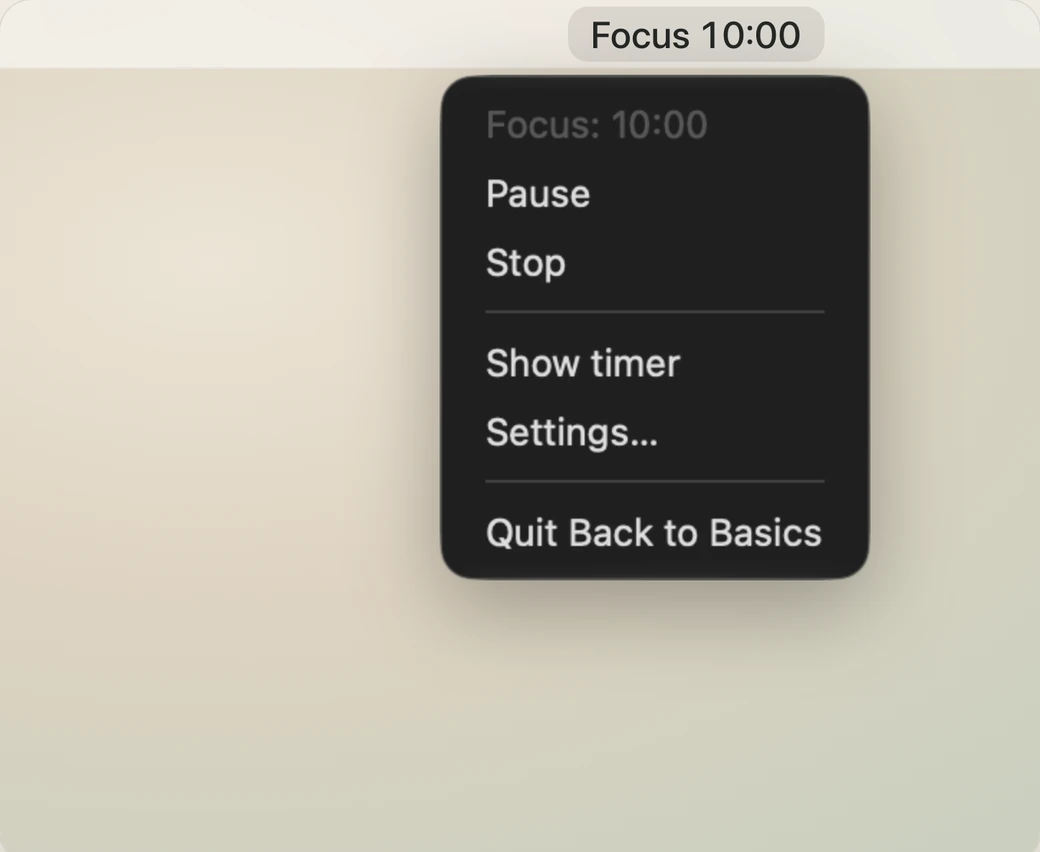
Menu bar and keyboard controls
Click the countdown in the menu bar to pause, resume, or stop the timer. Choose Show timer to bring back the main window.
With the timer window active, press Space to start, pause, or resume. Press Command + period to stop.
A full-screen countdown for your desk
Put the timer window in full screen for larger digits. On a second display, you can keep the countdown in view while you work on your main screen.

Adjust your focus and break lengths
The default is 20 minutes of focus, 5 minutes of rest, and a 15-minute rest after every fourth focus period. Set focus to 25 minutes in Settings for a Pomodoro rhythm. Start each new focus period when you’re ready.
One purchase for Mac and iPhone
The US App Store price is $4.99 once. Use the timer offline after installation. Your current timer and settings stay on your device.
Get it on the Mac App Store